
Quick Answer
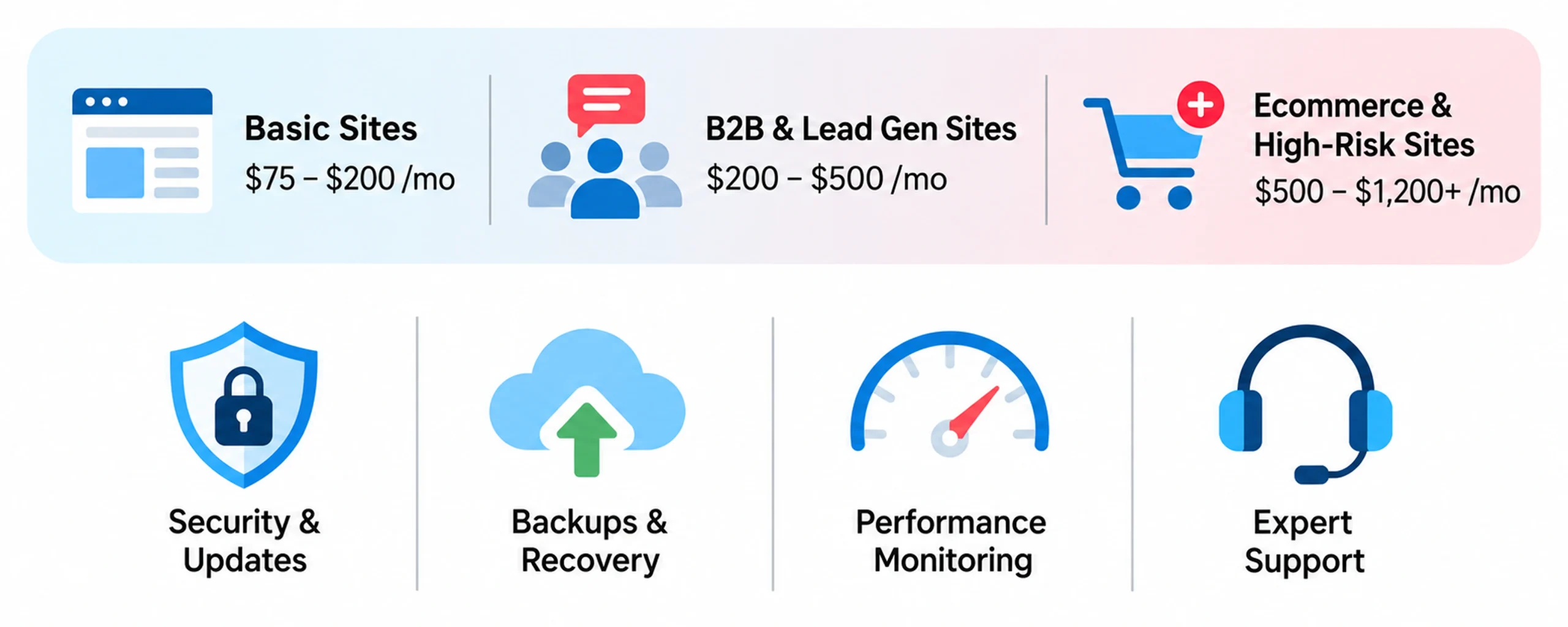
Most businesses pay between $75 and $1,200+ per month for wordpress site maintenance cost, depending on site complexity. Basic brochure sites typically run $75–$200/month, lead-generation and B2B sites run $200–$500/month, ecommerce sites run $500–$1,200+/month, and larger enterprise or highly custom builds can run $1,200–$3,000+/month. Industry-wide, small business website maintenance generally falls between $35 and $650/month, with ecommerce sites ranging from $500 to $5,000/month depending on risk and complexity.
How much should you really budget for wordpress site maintenance cost this year? It's one of the most common questions businesses ask, yet the answers online range from a few dollars a month to thousands, often without explaining what those costs actually cover.
The reality is simple: maintaining a WordPress website today is more demanding than it used to be. Security updates, plugin compatibility, performance monitoring, and uptime protection have become ongoing essentials, not occasional fixes and wordpress website maintenance pricing varies far more than most business owners expect.
This guide breaks down the real wordpress website maintenance cost in 2026, what factors shape that pricing, how it compares to freelancers and in-house options, and how to choose the right level of support based on your website's size, complexity, and business goals. If you're earlier in the process and still deciding on a build or rebuild, our WordPress website cost guide covers what that looks like before maintenance even enters the picture.
How Much Does WordPress Maintenance Cost Per Month?
WordPress maintenance costs depend on the type of website, the level of support required, and how critical the site is to business operations. In general, small business websites cost less to maintain than ecommerce stores because they have fewer technical and security requirements.
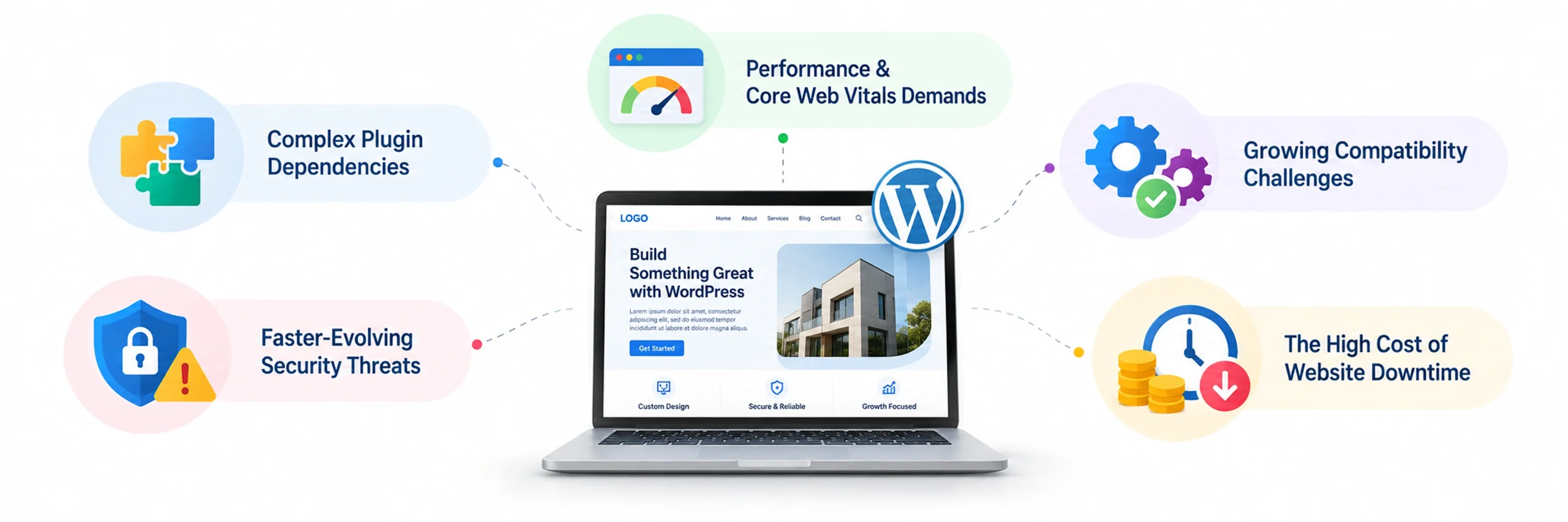
A few things are true across almost every pricing tier:
1. Plugins are more connected than they used to be.
Most sites now run a stack of interdependent tools: a form builder like Gravity Forms, a security layer like Wordfence or Sucuri, an SEO plugin like Yoast, often a page builder like Elementor. One failed update to any single plugin can disrupt forms, payments, or CRM connections instantly, because these tools are rarely isolated from each other anymore.
2. Security risks move faster.
Automated bots continuously scan WordPress websites for known vulnerabilities, making timely updates and security monitoring more important than ever. According to Patchstack's State of WordPress Security in 2026 report, 11,334 new vulnerabilities were discovered across the WordPress ecosystem in 2025, a 42% increase from the previous year. Plugins accounted for 91% of these vulnerabilities, compared with 6% in themes and 2% in WordPress core.
3. Performance expectations keep rising.
Google's Core Web Vitals use Interaction to Next Paint (INP) as a key responsiveness metric - it measures how quickly your site reacts when someone actually clicks, taps, or types, not just how fast the page first loads. Proactive performance maintenance goes beyond basic caching; it requires database optimization, deferred script loading, and ongoing asset minimization.
4. Compatibility breaks more often.
WordPress core, PHP versions, themes, and plugins all ship updates on independent schedules. PHP itself moves fast - older branches like PHP 7.4 lost security support years ago, and even more recent versions reach end-of-life on a rolling basis. If one layer falls behind, things stop working smoothly, sometimes without an obvious error message pointing to the cause.
5. Downtime costs more than prevention.
For business websites, lost uptime often means lost revenue. Regular maintenance is consistently cheaper than emergency fixes, which typically carry premium, rush-rate pricing from developers - commonly $75–$200/hour for US-based freelance developers on a rush basis.
|
Website Type |
Monthly Maintenance Cost |
Yearly Maintenance Cost |
|
Basic Business Website |
$75 – $200 |
$900 – $2,400 |
|
Lead Generation Website |
$200 – $500 |
$2,400 – $6,000 |
|
Ecommerce Website |
$500 – $1,200+ |
$6,000 – $14,400+ |
|
Enterprise / Complex Website |
$1,200 – $3,000+ |
$14,400 – $36,000+ |
WordPress Maintenance Cost by Website Type
1. Basic WordPress Website Maintenance
These are sites built mainly to establish credibility and generate a call or email, such as local businesses, portfolio sites, nonprofit organizations, and brochure-style websites that aren't processing payments or managing customer accounts. (Nonprofits weighing their own site build first may want our WordPress for nonprofits guide.) With fewer moving parts and no transactions to protect, this tier carries the lowest risk and needs the lightest, but still essential, maintenance.
Typical cost: $75–$200/month | $900–$2,400/year
What’s Included:
- Core WordPress updates
- Plugin and theme updates
- Regular backups
- Basic security monitoring
- Uptime checks
2. Lead Generation & Business Websites
These are sites built to actively bring in business, including B2B websites, agencies, SaaS platforms, and consultant websites that depend on their site to capture leads. Because traffic is usually coming from SEO and paid ads, every broken form or slow landing page can have a direct, measurable cost in wasted spend and missed leads.
Typical cost: $200–$500/month | $2,400–$6,000/year
This often includes:
- Everything in basic plans
- Speed optimization
- Landing page monitoring
- Form testing
- Conversion tracking support
- Advanced security setup
3. Ecommerce & Revenue-Driven Websites
These are sites where the website itself is the transaction, including WooCommerce stores, subscription services, membership platforms, and booking systems where visitor interactions can directly generate revenue. With customer payments, inventory, and accounts all running through the site, the stakes of any single failure are far higher than on an informational or lead-generation site.
Typical cost: $500–$1,200+/month | $6,000–$14,400+/year
Maintenance here often covers:
- Checkout flow testing
- Payment gateway monitoring
- Inventory sync checks
- Database optimization
- Advanced backups
- Faster issue response
- Security hardening
4. WooCommerce Maintenance
WooCommerce and other revenue-driving setups sit in their own category because the website isn't just presenting information - it's processing money in real time. That changes both the risk profile and the price.
Typical WooCommerce maintenance cost: $500–$1,200+/month, with larger stores (high SKU counts, multiple payment gateways, or subscription billing) running $1,200–$3,000+/month, similar to the enterprise tier above.
5. Enterprise & Complex Websites
Wordpress Enterprise websites with heavy custom development, multiple integrations, high traffic volumes, or regulatory obligations - think multi-location franchises, SaaS marketing sites tied into product dashboards, membership networks with thousands of active users, or any site where a support or compliance team is already involved. The maintenance work here is less about routine updates and more about coordinating change across a system with many moving, interdependent parts.
Estimate Cost -$1,200–$3,000+/month | $14,400–$36,000/year
Maintenance here often covers everything in the ecommerce tier, plus:
- Custom code and API maintenance
- Load and traffic-spike monitoring
- Multi-environment staging and QA
- Compliance-related monitoring (where applicable)
- Dedicated account or technical contact
- Faster, often same-day, response SLAs
At this level, standard retainers usually aren't enough on their own if your organization needs HIPAA-level technical safeguards, PCI-DSS Level 1 compliance, or similarly regulated security architecture, those requirements call for specialized compliance-focused infrastructure and a provider who works specifically in that space, on top of general maintenance.
Good to know: A lower monthly price doesn't always mean lower overall cost. Check whether security monitoring, troubleshooting, emergency fixes, and plugin licenses are included before comparing plans.
What Is Included in a WordPress Maintenance Package?
A WordPress maintenance package can cover more than basic updates. Depending on the provider and plan, it may include the following:
Essential WordPress Maintenance
- WordPress core updates
- Plugin and theme updates
- Regular backups
- Security monitoring
- Uptime monitoring
Performance & Technical Maintenance
- Speed monitoring
- Database optimization
- Core Web Vitals checks
- Image and script optimization
- Broken-link checks
Business & Website Support
- Content updates
- Form testing
- Landing-page updates
- Integration monitoring
Emergency WordPress Support
- Malware cleanup
- Broken update recovery
- Website restoration
- Critical bug fixes
Wordpress website maintenance plans can look simple on paper, but the real value is in everything happening behind the scenes. You're not just paying for updates - you're paying for controlled, tested change. Professional maintenance means updates are tested in a staging environment before being applied to your live site, reducing the risk of plugin conflicts, broken layouts, or unexpected downtime. WordPress core itself ships regular scheduled releases; you can see the full cadence on the official WordPress release archive, but core updates are only one layer of what maintenance actually covers.
A common point of confusion: don't mistake host-level updates for full site maintenance. Managed WordPress hosts typically patch the server and sometimes WordPress core automatically, but they don't verify whether a newly updated plugin breaks your contact form, conflicts with your payment processor, or changes how your page builder renders. That verification is an application-level responsibility; it's what a maintenance plan is actually for, and it's the gap that catches businesses who assume "managed hosting" already means "maintained."
The exact services included can vary between maintenance providers and pricing plans, so it is important to check what is covered before choosing a package.
What Isn't Included in Wordpress Maintenance Package?
WordPress maintenance generally focuses on keeping an existing website secure, updated, functional, and performing properly. Larger development projects may be charged separately.
Services that are often not included in standard maintenance packages include:
- Website redesigns
- New custom features
- Major development work
- New integrations
- Premium plugin or theme licenses
- Hosting fees
- Domain renewal
- Major content creation
Premium plugin and theme licenses deserve a specific callout here, since they trip up a lot of buyers: tools like ACF Pro, WP Rocket, Gravity Forms, and premium themes often renew annually outside the maintenance retainer, typically $100–$500/year combined. These licenses are usually tied to whoever purchased them - if you switch maintenance providers or end an agency relationship, you may need to repurchase or transfer these licenses to keep receiving plugin updates.
These excluded services may be available as separate projects or add-ons, depending on the maintenance provider.
What Factors Affect WordPress Maintenance Cost?
Understanding wordpress maintenance cost for business budgeting starts with a few core variables - not the platform itself, but how much your site is expected to handle. Even within standard wordpress website maintenance pricing tiers, cost can move up or down significantly depending on the factors below.
- How much your website has to handle. A site built only to share information needs far less upkeep than one processing payments, handling bookings, or managing customer accounts. The more responsibility your website carries, the more attention it needs.
- How often your website changes. Websites that regularly publish content, update products, launch campaigns, or add new features need more frequent maintenance than static websites with little change.
- How many systems depend on it. When your website connects with CRM tools, marketing platforms, customer databases, or payment systems, maintenance becomes less about one website and more about keeping an entire connected workflow running smoothly.
- How much traffic your site handles. Higher monthly visitor volume puts more load on hosting, database queries, and uptime monitoring - a site doing 50,000 visits a month needs closer performance attention than one doing 2,000.
- How many plugins are running. Each active plugin is another piece of software that can conflict with an update, introduce a vulnerability, or slow the site down. More plugins generally mean more testing and monitoring work per update cycle.
- How sensitive the data is. Sites collecting payment details, health information, or other sensitive customer data carry higher security requirements - covered in more depth as part of our website maintenance services - and in regulated industries, compliance requirements on top of that.
|
Business Need |
Typical Requirement |
Cost Impact |
Why It Changes Pricing |
|
Faster Issue Resolution |
Priority support, quicker response times |
+15% to 30% |
Businesses that cannot afford downtime usually pay more for faster turnaround |
|
Frequent Website Changes |
Content edits, landing page updates, product changes |
+10% to 25% |
More changes mean more maintenance hours every month |
|
Higher Security Demands |
Firewall management, malware protection, vulnerability checks |
+20% to 40% |
Sites handling customer or payment data need stronger protection |
|
Complex Integrations |
CRM, payment gateways, booking tools, automation platforms |
+15% to 35% |
More connected systems increase testing and troubleshooting needs |
|
Heavy Traffic Volume |
Performance tuning, database optimization, server monitoring |
+20% to 50% |
Larger traffic puts more pressure on website stability and speed |
|
Revenue-Critical Operations |
Checkout monitoring, backup frequency, uptime guarantees |
Varies heavily |
When revenue depends on the site, maintenance becomes more proactive and intensive |
Freelancer vs. Agency vs. In-House
The same maintenance scope can cost dramatically different amounts depending on who's doing the work. Wordpress website support plan pricing is one of the biggest swing factors buyers underestimate - the same scope of work can cost two or three times more or less depending on who's delivering it.
|
Provider Type |
Typical Monthly Cost |
Best For |
Trade-Off |
|
DIY (you handle it) |
$20 – $100/month (tools/hosting only) |
Very small, low-risk sites with technical comfort |
Free in dollars, expensive in your time |
|
Freelancer |
$150 – $500/month |
Small businesses needing routine care without agency overhead |
Variable availability; limited redundancy if they're unavailable |
|
Agency / Maintenance Partner |
$200 – $1,200+/month |
Businesses needing reliability, faster response times, and broader expertise |
Higher cost than a freelancer, but typically includes coverage, process, and accountability a single freelancer can't guarantee |
|
In-house staff |
$4,000+/month (salary-equivalent) |
Large, complex, or highly regulated sites needing daily attention |
Most expensive option unless maintenance is a full-time need |
For most small and mid-sized businesses, an agency or maintenance partner sits in the sweet spot: more reliable than a single freelancer, far less expensive than a full in-house hire.
Active security protection (malware scans, firewall monitoring through tools like Wordfence or Sucuri, vulnerability checks, stronger login protection) and reliable backup systems (automated backups through plugins like UpdraftPlus or host-level snapshot tools, plus tested recovery options) are two areas where the gap between provider types shows up fastest - a DIY setup often has the tools installed but nobody actively watching them, which is where risk quietly builds up.
What Happens If You Don't Maintain Your WordPress Website?

Ignoring website maintenance may seem like an easy way to save money, but the longer it's delayed, the more expensive the consequences become.
- Minor problems turn into major repairs. What starts as a simple plugin conflict or outdated theme can escalate into broken pages, failed checkouts, or lost functionality if left unresolved for months.
- Urgent fixes always cost more. Emergency troubleshooting often requires immediate developer support at premium hourly rates, making reactive maintenance far more expensive than planned, retainer-based care.
- Revenue loss happens in real time. If your site slows down, crashes, or stops capturing leads, every minute can mean missed sales, wasted ad spend, and fewer customer inquiries.
- Search rankings can take a hit. Technical issues like broken links, poor speed, or security warnings weaken SEO performance, reducing visibility and traffic over time, and recovering lost rankings often takes longer than the outage itself.
- Recovery takes longer than prevention. Restoring backups, cleaning malware, or rebuilding damaged functionality can take days or weeks, while regular maintenance helps avoid those setbacks altogether.
- What downtime actually costs you: You don't need a spreadsheet to ballpark this. Take what your website generates in a typical month in sales, booked appointments, or qualified leads and divide it by the number of days in that month - that's roughly your daily exposure if the site goes fully down. A site generating $9,000 a month in bookings or sales is losing somewhere around $300 a day it's offline, not counting the slower trickle of lost trust from visitors who hit a broken page and don't come back to try again later. Most maintenance retainers cost less per month than a single day of that kind of outage.
A Real-World Example
The impact of proactive maintenance becomes much clearer when you look at what happens when website issues are left unchecked. In one JanBask Digital Design healthcare website maintenance project, the site had been experiencing frequent unplanned outages along with performance, security, form, mobile, and accessibility issues. The problem wasn't that the website needed to be completely rebuilt. It needed consistent monitoring and ongoing technical maintenance.
The maintenance team addressed the most critical issues first, then introduced uptime monitoring, security patching, performance optimization, form monitoring, accessibility remediation, and an ongoing maintenance cadence. As a result, unplanned outages dropped from 3.5 per month to zero, while uptime reached 99.9%. Page load time also improved from 6.8 seconds to 1.6 seconds, and the site went 12 months without a critical security incident.
How to Choose a WordPress Maintenance Plan
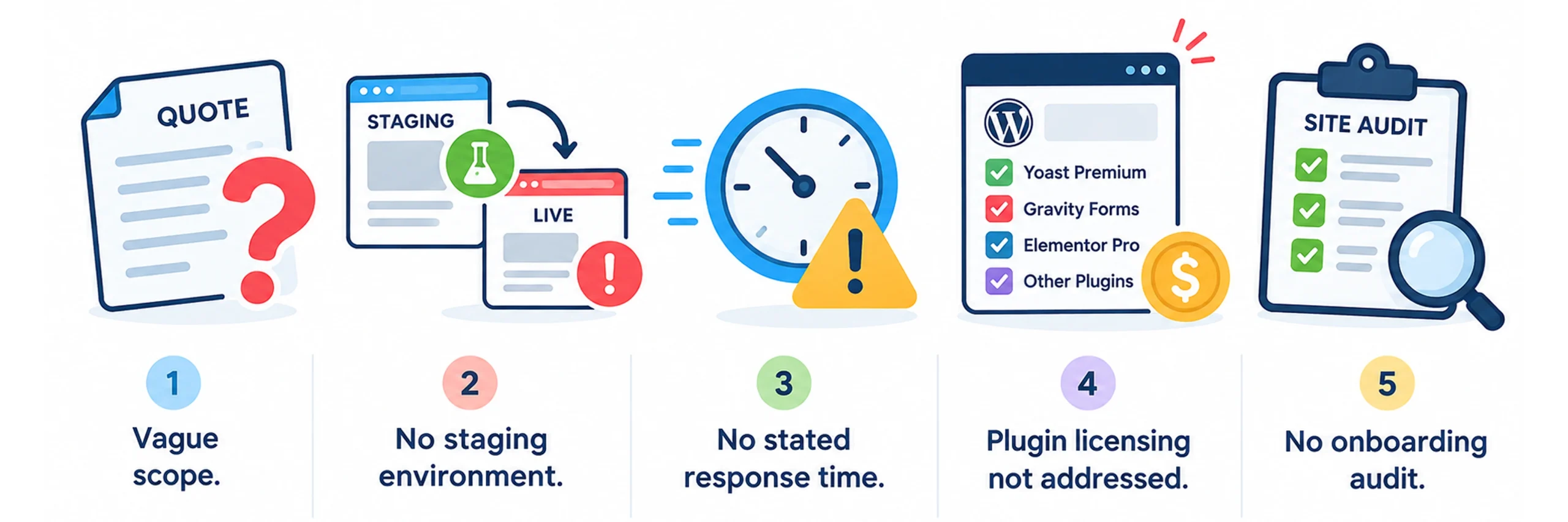
Before signing with any provider, it's worth checking for a few things that separate a real maintenance plan from a thin one:
- Vague scope. If the quote doesn't specify what's included (number of updates, backup frequency, response time), ask for specifics in writing.
- No staging environment. Updates applied directly to your live site, without testing first, is a meaningful risk - ask whether changes are tested before going live.
- No stated response time. "We'll get to it" is not an SLA. Ask what their guaranteed response window actually is for urgent issues.
- Plugin licensing not addressed. Premium plugins and themes (Yoast Premium, Gravity Forms, Elementor Pro, and similar) often carry separate annual licensing fees - commonly $100–$500/year - that aren't always included in a maintenance retainer. Confirm this upfront.
- No onboarding audit. A responsible provider typically starts with an initial audit of your current site before quoting ongoing work, since "maintaining" an already-broken site is a different job than maintaining a healthy one.
Once you've screened out the red flags, matching a plan to your business comes down to three questions:
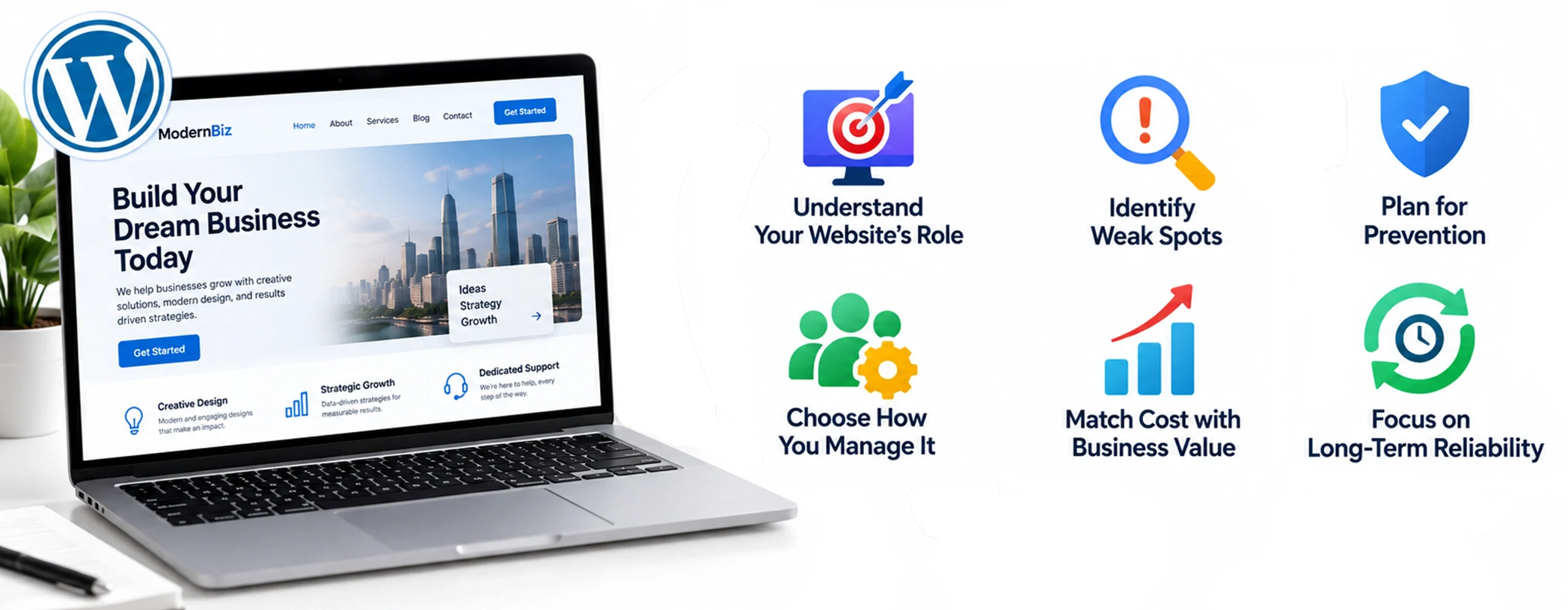
- What's your website's role? Is it simply sharing information, generating leads, or directly making sales? The more it contributes to revenue or customer experience, the more maintenance it should realistically have.
- Where are your current weak spots? Unmanaged updates, slow pages, broken forms, missing backups, or security gaps are all signs your website needs stronger support - and they usually point to exactly where your current plan (or lack of one) is falling short.
- Who should manage it? Whether you handle maintenance yourself, work with a freelancer, or hire a dedicated maintenance partner will directly shape your monthly cost. Each option changes the balance between time, risk, and reliability - see the comparison table above.
The strongest plans are built around preventing issues before they happen, not reacting once something breaks. A predictable wordpress website maintenance budget is almost always easier and cheaper than handling urgent fixes under pressure.
WordPress Maintenance Cost Calculator
You don't need custom software to estimate a fair monthly number - a rough budget follows a simple formula:
Base tier cost + provider multiplier + add-ons = your estimated monthly range
Step 1 - Start with your website type (base tier):
|
Website Type |
Base Monthly Range |
|
Basic Business Website |
$75 – $200 |
|
Lead Generation Website |
$200 – $500 |
|
Ecommerce / WooCommerce |
$500 – $1,200 |
|
Enterprise / Complex |
$1,200 – $3,000+ |
Step 2 – Consider Who Manages Your Wordpress Website
Your provider can move the cost toward the lower or higher end of the base range:
- DIY: Usually the lowest cost. You mainly pay for hosting, tools, and licenses typically $20–$100/month.
- Freelancer: Usually falls around the lower half of your website's base range.
- Agency / Maintenance Partner: Generally falls in the mid-to-upper half because you're paying for broader monitoring, support, security, and technical expertise.
- In-house: Instead of a maintenance retainer, you'll need to account for employee costs, which can be $4,000+/month.
Step 3 – Add Costs Based on Your Requirements
Your final maintenance budget may increase if your website needs additional support:
Priority support: +15% to 30%
Frequent content or product changes: +10% to 25%
Higher security requirements: +20% to 40%
Complex integrations: +15% to 35%
Heavy traffic: +20% to 50%
Premium plugins/themes: +$100–$500/year, or roughly $8–$42/month when spread across the year.
Example: A lead-generation site ($200–$500 base) managed by an agency (upper half, so ~$400) with frequent content updates (+15%) and one CRM integration (+20%) lands around $540–$560/month - a realistic, defensible number to bring into a provider conversation rather than guessing.
Free WordPress Maintenance Assessment
WordPress maintenance is no longer something businesses can afford to push aside. Websites now drive leads, sales, customer trust, and daily operations, which means even small technical issues can have a bigger impact than most realize.
For some businesses, that may mean spending around $100–$200 a month for basic stability. For others, especially those relying on SEO, paid campaigns, or online sales, investing $500 or more can be the smarter long-term move. The right number depends less on the website itself and more on what your business expects from it - and getting your wordpress site maintenance cost right from the start is far cheaper than correcting it after something breaks. And if your site's underlying issues go beyond what maintenance alone can fix - outdated design, weak conversion paths, or a structure that no longer fits how the business has grown - it may be worth looking at website redesign services instead of, or alongside, a website maintenance plan.
The best way to look at WordPress maintenance services is simple: not as an expense, but as protection for everything your website helps generate. In most cases, the cost of staying prepared is far lower than the cost of fixing problems after they happen.
If you'd rather not track all of this yourself, that's exactly the gap a maintenance partner is meant to fill. JanBask Digital Design's WordPress maintenance services handle the updates, security, backups, and monitoring in the background, so your team can focus on running the business instead of babysitting the backend.
Whether your site is a simple brochure page or a revenue-driving storefront, it's worth a conversation to see what level of support actually makes sense for where your website is today. Schedule a free WordPress maintenance assessment and get a clear picture of what your site needs before you commit to a plan.